Braille Maker For Blender
A downloadable tool
Multiline Braille Indenter Tool for Blender
Grade 1 Braille Indent Tool for 2mm Balls
https://ko-fi.com/professordaytime
https://sethgordon3.gumroad.com/l/braille-indenter
https://github.com/ProfessorDaytime/MultilineBrailleIndenter
You can, make copies of this blend file and start in it, but
You can also just keep this blend file somewhere safe and append
the geometry nodes to whatever project you're working on.
Tho I created this in Blender 4.4.3, so it won't work in Older Versions.
It seemed to work in 5.0 just fine.
-------------------------------------------
--Append to Project------------------------
-------------------------------------------
Go to File > Append
Then Find this blend file "MultiLineBrailleIndenter.blend"
Go into Node Tree
Select Braille_Indenting and Append
-------------------------------------------
--How to Use-------------------------------
-------------------------------------------
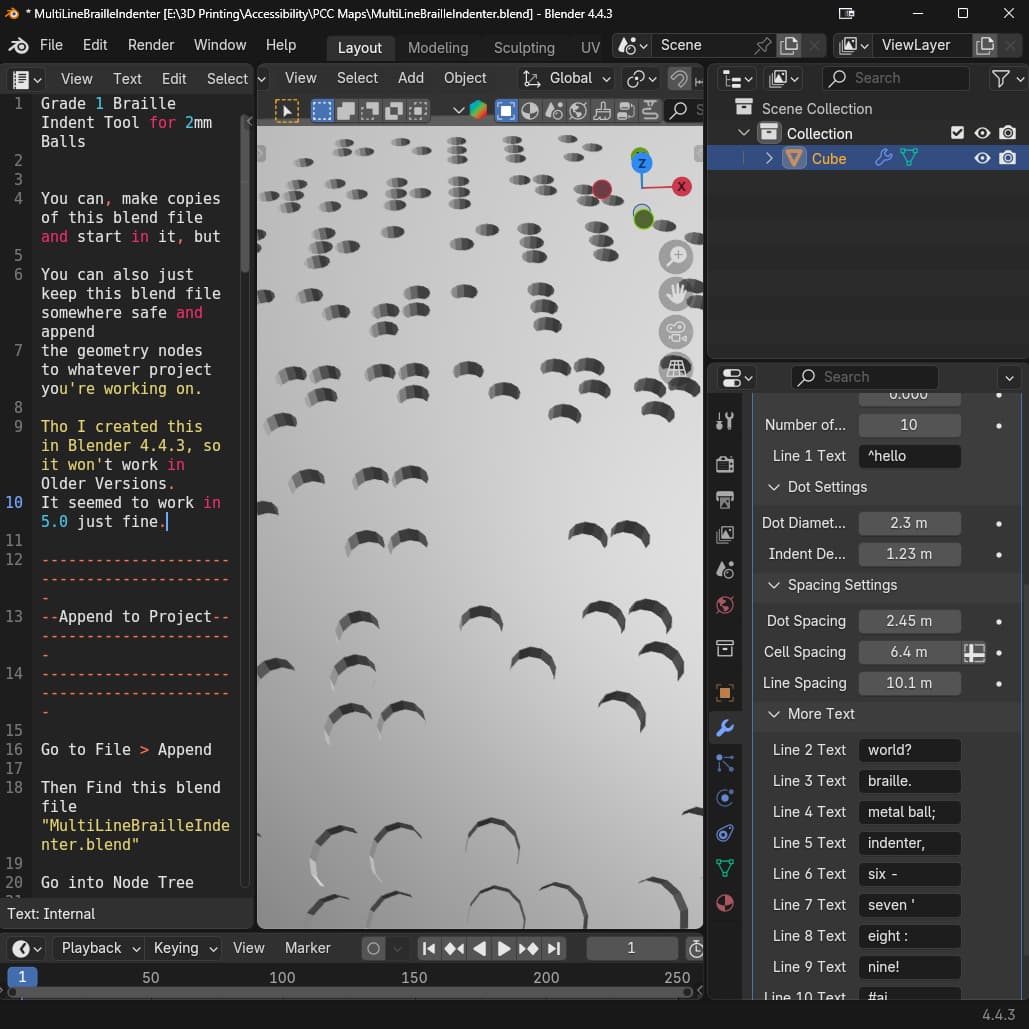
Once Appended, go to the Modifier Tab on the object you
want to indent braille into
Add Modifier > Geometry Nodes
Click the Dropdown next to New and choose Braille Indenting
------------
-Parameters-
------------
Position
Set the Z value to the Z height of the surface you want indented
Rotation
You probably would rotate it on the Z axis the most
Number of Lines
Set for number of lines 1 - 10
Text
This is Grade 1 Braille, I programmed 26 letters and 10 symbols
^ for Capital Letter symbol
# for the braille number indicator
The other 8 symbols are
! ; : ' , . ? -
I haven't tested the limit of text,
but the more text, the slower blender will run.
Dot Diameter
2.3 is the best/smallest fit for a 2mm metal ball
that I found through testing
Indent Depth
The braille should be between 0.6 and 0.9 mm off the surface.
I found with Indent Depth set to 1.23 gives a
consistent 0.7 - 0.8 mm braille bumps
Dot Spacing
I have yet to have someone that reads braille test these,
so I Eye-balled these exact default settings to match something
else I've printed
But I have set the standard ranges as the min and max values
for all of the spacing parameters
Cell Spacing
I feel like all of the spacing parameters should be adjusted
if any of them are adjusted
Line Spacing
Range is 10.0 - 10.2, so I just put it in the middle by default
More Text
Set the Number of Lines parameter to show or hide lines.
------------
--NOTES-----
------------
I have not tested the limits yet, but it should be able to handle
at least 2 instances on a surface.
SEO
Blender braille
3D print braille
geometry nodes braille
tactile graphics Blender
accessible 3D printing
braille addon Blender
2mm braille beads
braille indenter generator
Download
Click download now to get access to the following files:
Leave a comment
Log in with itch.io to leave a comment.